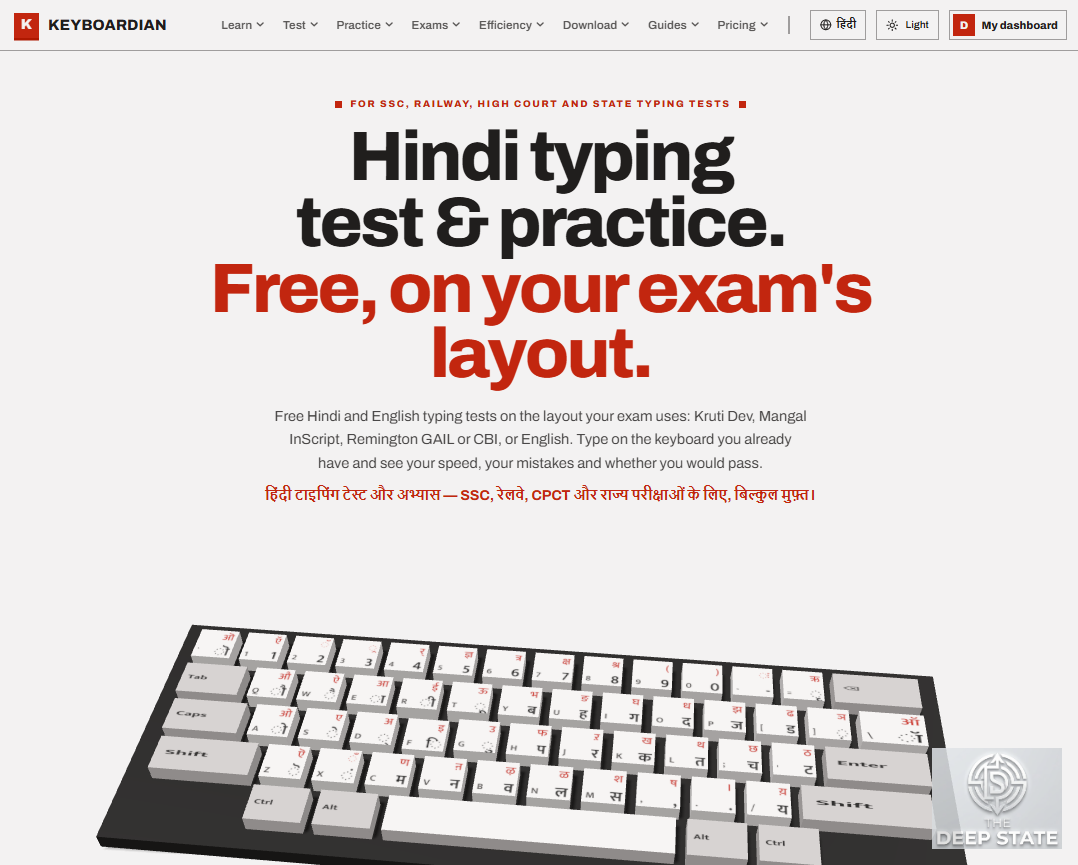
For lakhs of candidates preparing for government jobs, the typing skill test is the last step between a written-exam result and an appointment letter. A new online platform, Keyboardian, aims to make preparing for that step closer to the real thing.
Built by DivSu Tech, Keyboardian (keyboardian.com) offers Hindi and English typing tests, lessons and practice designed around the typing tests of Indian government recruitment exams. The typing tests, lessons and practice are free and can be used without creating an account.
Practise on the keyboard your exam uses
Hindi typing tests are not all alike. Depending on the recruiting body, a candidate may be tested on Mangal InScript, the Remington GAIL or CBI layout, or the older Kruti Dev / DevLys 010 font. Practising on the wrong layout builds habits that can cost marks on test day.
Keyboardian lets candidates pick the exact layout their exam uses: English, Mangal InScript, Remington GAIL, Remington CBI or Kruti Dev / DevLys 010. It reads the physical keys a candidate presses, so results do not depend on the fonts or language settings of the computer being used. An animated finger guide shows which finger should press each key, and Hindi mistakes are counted by complete letter, conjuncts and matras included, rather than by individual characters.
Settings for 55 exam papers
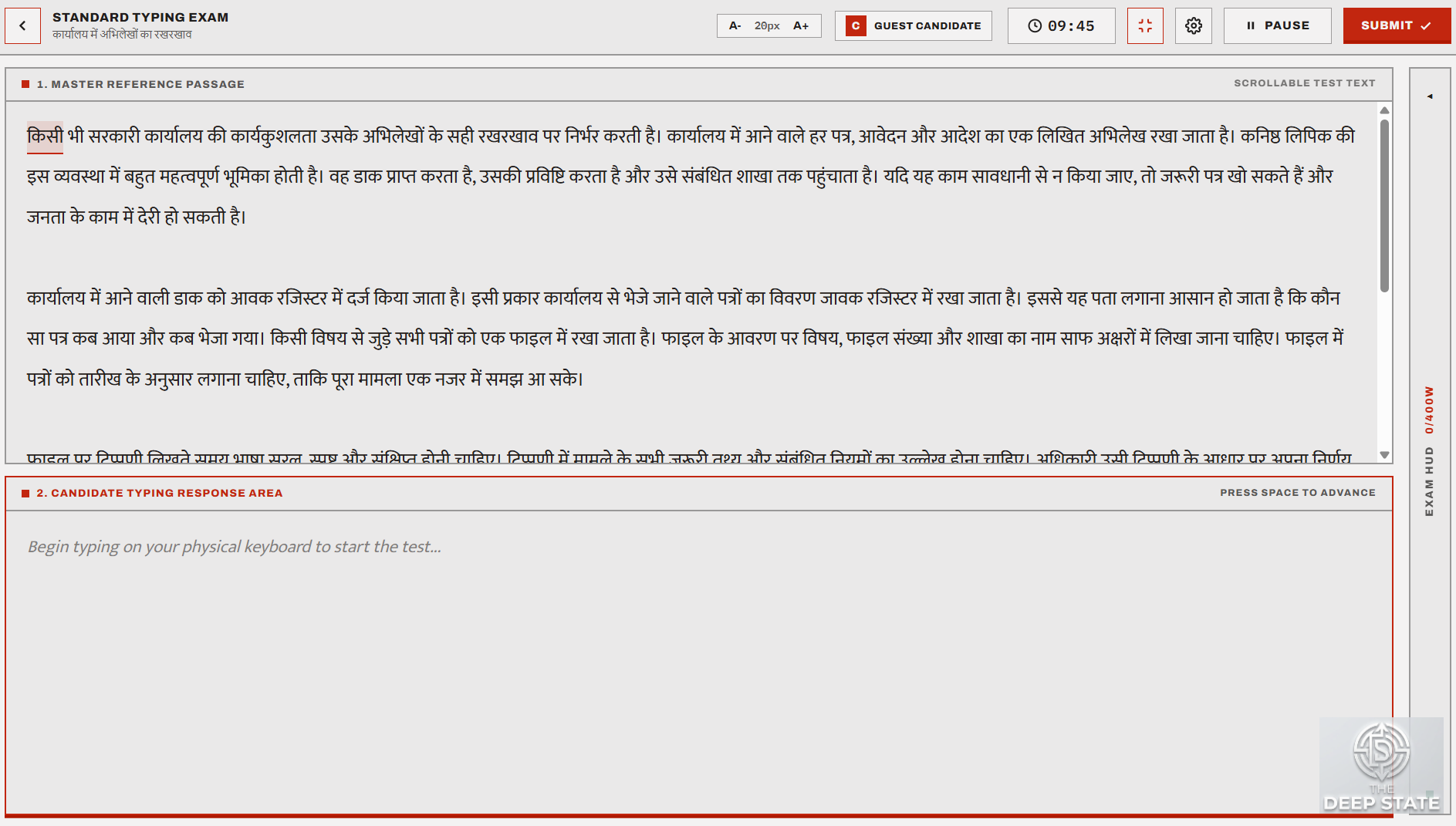
The platform has ready-made settings for 55 exam papers. They include SSC CHSL, the SSC CGL data entry speed test, SSC Stenographer, RRB NTPC, CPCT (Madhya Pradesh), Rajasthan Lipik Grade-II, and recruitment tests in Uttar Pradesh, Bihar, Madhya Pradesh and several High Courts. Each one sets the test's duration, keyboard layout and screen. Candidates can also practise on screens modelled on those commonly used in online exams, such as TCS iON-style and NTA-style layouts, which the platform labels as approximations.
Scoring that says where its rules come from
Exams score typing differently: some count full and half mistakes, others measure key depressions per hour. Keyboardian gives an official pass or fail verdict only where the rule can be traced to the conducting body's own document, currently for SSC CGL DEST, CPCT and Rajasthan Lipik Grade-II. For exams such as SSC CHSL and RRB, where official figures change from cycle to cycle or could not be confirmed, the verdict is shown with a clear label saying it is based on reported third-party sources.
More than a speed test
Beyond timed tests, the platform includes:
a daily live test, where everyone types the same passage at the same time;
a typing race that candidates can start with friends using a short code;
weak-key practice, which tracks the keys that slow a candidate down and drills them;
certificates with a QR code, issued only for results the server has re-checked, which anyone can verify at keyboardian.com/verify;
practice for the Word and Excel tasks of the Rajasthan LDC efficiency paper;
a free Kruti Dev to Unicode converter.
A Windows app for offline and lab use
A Windows app for Windows 10 and 11 keeps working without the internet once set up: passages already used stay on the computer, and tests typed offline are uploaded the next time the computer is online. It also offers an optional exam lock. At the start of a test the app asks whether to lock it like an exam hall, and only if the candidate agrees does the window stay full screen with the Windows key and Alt+Tab switched off until the test ends. Coaching institutes can run batches on their computer labs with a lab mode. An Android app, which works with USB (OTG) and Bluetooth keyboards, is in testing ahead of its Google Play release.
Free to start
Tests, lessons and practice are free. An account is optional and keeps progress in step across the website and the apps. A paid tier adds a larger passage library, practice on one's own text and detailed reports.
"[Founder quote, for example: Candidates spend months on the written exam and then lose a job over a typing test they practised on the wrong keyboard. We built Keyboardian so practice feels like the exam itself.]" said [Name], [role], DivSu Tech.
Keyboardian is available at keyboardian.com. For questions, the team can be reached at contactus@keyboardian.com.